

Current-control limitation
This guide teaches owner-side governance, not a Xebora gallery workflow
Google’s current help documentation describes owner-side photo upload, cover and logo selection, deletion of owner-uploaded media, and the Live, Pending, and Not approved status labels. Interfaces can change, so confirm the current controls inside the authenticated Business Profile rather than relying on screenshots or a fixed click path copied from an older article.
Sources:Google Business Profile Help
Xebora has an authenticated media library for source assets and can publish an approved image as media attached to a Google Business Profile post. It does not currently upload, list, delete, report, schedule, monitor, or verify permanent Business Profile gallery media. It cannot choose the cover image, inspect gallery status, remove customer uploads, detect duplicates, or prove photo freshness.
Xebora’s public visibility check may surface a limited set of public photo signals. Those signals are not a complete gallery inventory and cannot establish age, ownership, cover selection, or Live, Pending, and Not approved status. Owners must inspect the profile directly in Google before deciding that a gallery is complete or current.
Surface check
Know which photo surface you are managing
The same image file can play different roles, but the surfaces are not interchangeable.
Permanent Business Profile photo
Durable visual evidence attached to the business profile. It should represent the real location, team, service environment, products, or work accurately after the day it is uploaded. Owners manage these photos directly in Google.
Sources:Google Business Profile HelpGoogle Business Profile Help
Google Business Profile post image
Media attached to an update, offer, or event. Google documents posts as a separate feature shown in profile update surfaces. A post image can support a temporary message, but it does not become proof that Xebora or the owner updated the permanent gallery.
Sources:Google Business Profile Help
Customer-contributed photo or photo update
Media submitted by a customer. Businesses cannot prevent customers from posting photo updates. They may report a specific customer image or update when it appears to violate Google policy, but disagreement, poor composition, or an unflattering angle is not by itself a guaranteed removal ground.
Sources:Google Business Profile HelpGoogle Business Profile Help
Social media image
Content prepared for Facebook or Instagram. It may be promotional, designed for a feed, or paired with text that would be unsuitable as durable location evidence. Social publication does not update the Google gallery, and a generated social asset must not be presented as a real salon, client result, or amenity.
Six-stage operating system
The RECOGNIZE → ENTER → UNDERSTAND → TRUST → PROTECT → REFRESH framework
Build and maintain the gallery by customer question, not by a magic photo count.
- 01
RECOGNIZE
Help a first-time customer recognize the correct place
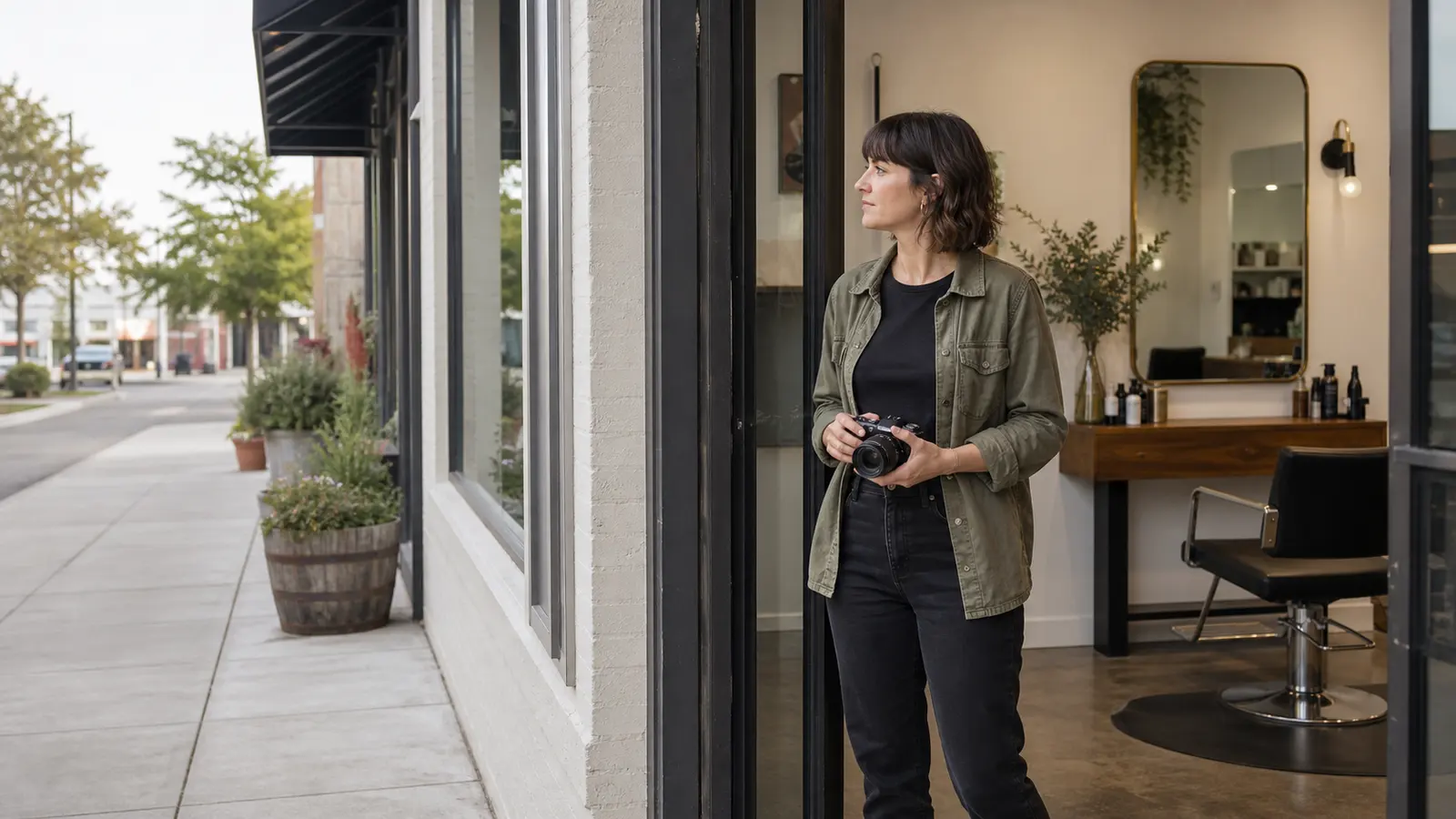
Start outside. A useful exterior photo shows the real storefront, entrance, building context, or suite approach a customer will encounter. Google specifically notes that exterior photos can help customers recognize a business when they visit and recommends capturing approaches from different directions. For a salon in a shopping center, the useful evidence may include the storefront within the row of neighboring units. For a suite, it may include the building entrance and the final corridor or door, provided the imagery does not expose unrelated private information.
Sources:Google Business Profile HelpGoogle Business Profile Help
Recognition matters more than polish. Do not crop so tightly that the entrance loses its context, remove neighboring landmarks that help navigation, or retouch permanent features into a cleaner version that does not exist. A bright daytime exterior can be useful, but if evening appointments are common, an additional truthful low-light view may help customers recognize the location after dark. Replace exterior photos when signage, paint, suite number, entrance, parking access, or the surrounding approach changes.
Sources:Google Business Profile HelpGoogle Maps User Generated Content Policy Help
Accessibility details require special care. A photo may show a step-free entrance, ramp, elevator lobby, treatment-room width, or accessible parking only when those features are real and current. Do not rely on the image alone for an essential accessibility promise; repeat accurate operational details in the business website or appropriate profile fields. Google’s current Business Profile photo documentation does not describe a merchant-entered alt-text field, so this guide makes no claim that an owner can attach custom alt text to gallery photos.
Sources:Google Business Profile Help
- 02
ENTER
Show what it is truthfully like to enter and spend time there
Interior photos answer practical questions before a customer books: Is the reception area easy to find? Is the space open or private? Are stations close together? Does the room shown online match the service being considered? Google recommends interior photos that truthfully show what it is like to stand inside the business and that communicate the atmosphere of the location.
Sources:Google Business Profile Help
Use a natural customer viewpoint. Wide-angle lenses, aggressive perspective correction, virtual staging, removed walls, added windows, or cloned empty space can make a small room appear materially different. Basic rotation, crop, exposure, and white-balance corrections are reasonable when they preserve reality. Google advises against significant alterations, excessive filters or AI, collages, and heavily manipulated media.
Sources:Google Business Profile HelpGoogle Business Profile HelpGoogle Maps User Generated Content Policy Help
Photograph the business in a representative operating state. A clean, prepared station is appropriate; a staged room containing equipment the salon does not normally use is not. If privacy requires an empty interior, capture the room before opening or after closing rather than blurring many clients into an unusable scene. Refresh interior evidence after remodeling, station changes, relocation, major decor changes, new treatment areas, or any change that would alter what a visitor expects.
- 03
UNDERSTAND
Help customers understand the real service environment
Service photos should explain what kind of work happens at this location. Google identifies photos at work as a useful business-specific category and recommends images representative of the services offered. For a salon, that can mean a stylist working at a color station, a barber shaping a beard at the chair, a nail professional working at the manicure table, or a beauty professional preparing a treatment room.
Sources:Google Business Profile Help
Favor process evidence over isolated claims. A close-up of a finished result may be attractive, but an image that also shows the actual workstation, tools, or professional context helps establish that the service occurred at the business. Never create a permanent gallery image from a stock model, generated person, licensed result photo, another salon’s work, or a heavily altered before-and-after. Google’s Maps media guidance tells contributors to use media they captured, at the location, and to avoid stock, collaged, heavily edited, manipulated, or third-party imagery.
Keep the service scope accurate. Do not show a specialty, machine, treatment, product line, or result that is no longer available. Do not let one exceptional editorial shoot imply that every appointment produces the same result. Where service outcomes vary, use the gallery to show the environment and representative work - not to make guarantees. Durable service details belong in the Services section, while the photo supports understanding.
- 04
TRUST
Show real people and work without fabricating proof
Team photos can make an owner-led salon easier to understand. Google recommends team photos as a way to present the people behind a business. Use current employees or owner-operators who have agreed to appear, and update the gallery when a prominent team image becomes materially inaccurate because the people shown no longer work there.
Sources:Google Business Profile Help
Client-result photos carry more risk than an empty-room photograph. Before publishing an identifiable face, tattoo, name badge, unique feature, or recognizable service result, obtain clear permission for this specific public use. Google’s user-generated content policy treats a person’s face in a photo posted without consent as personal information when the disclosure could create a risk of harm. Permission is a practical risk control; this guide does not attempt to state a universal U.S. release law for every jurisdiction or circumstance.
Preserve the difference between documentation and marketing art. Light and color correction should not change the apparent result, skin condition, hair density, nail shape, hygiene state, or room quality. Generated, stock, or licensed imagery may be suitable for clearly illustrative editorial content in some contexts, but it must never be presented in the permanent gallery as evidence of this salon, its staff, client work, results, premises, amenities, sanitation, or accessibility.
Sources:Google Business Profile HelpGoogle Business Profile HelpGoogle Maps User Generated Content Policy Help
- 05
PROTECT
Protect people, private information, and the accuracy of the place
Review the entire frame, not only the intended subject. Mirrors, open appointment books, payment screens, shipping labels, client forms, prescription products, medical notes, employee schedules, computer monitors, name cards, and conversations visible on a device can expose information that was never meant to be public. Google prohibits posting personal information without consent and specifically identifies financial, medical, identification, and other sensitive information.
Sources:Google Maps User Generated Content Policy HelpGoogle Business Profile Help
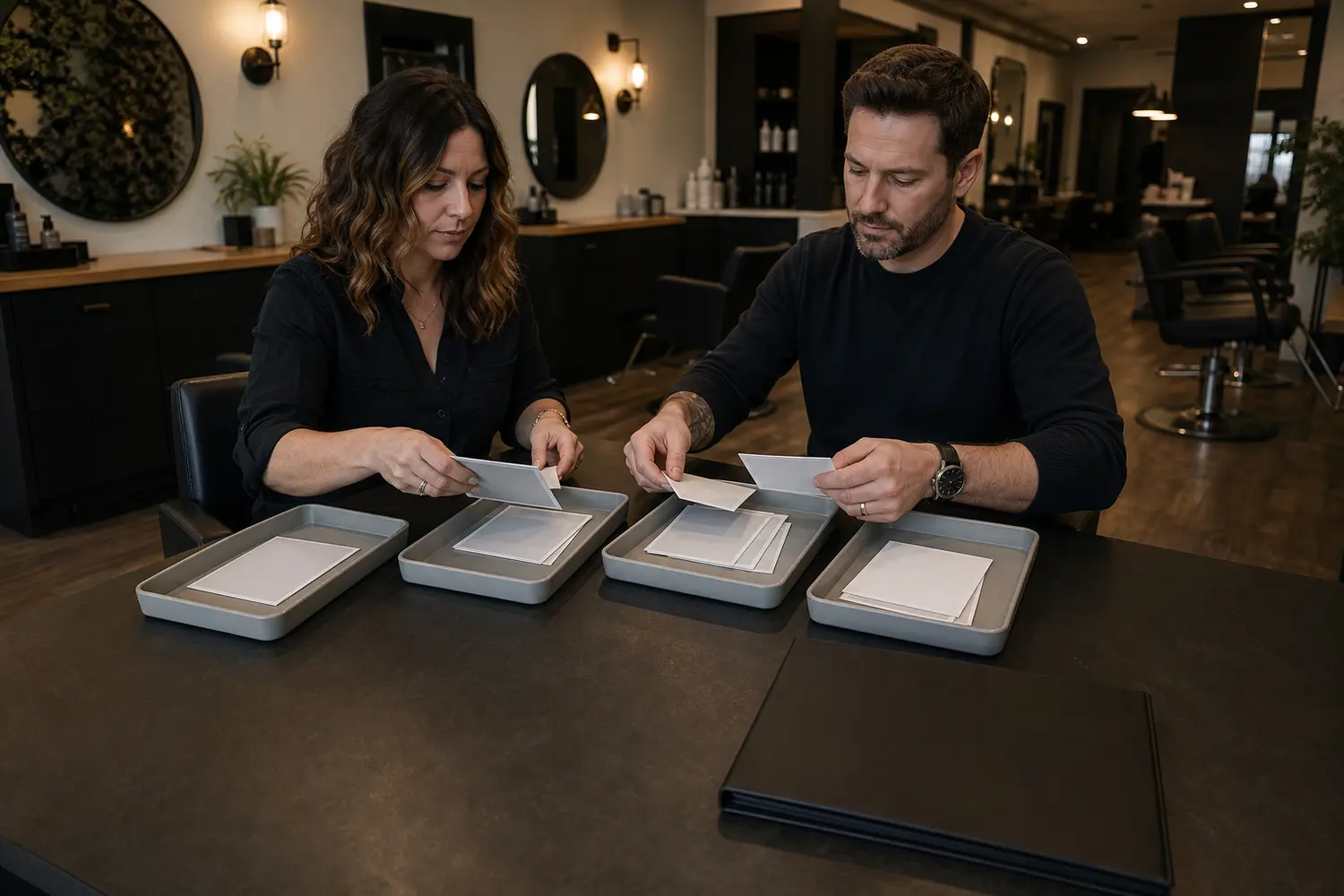
Use a simple permission process that the salon can actually maintain. Decide who may approve staff images, how client permission is recorded, whether a person may withdraw permission for future use, and who removes an owner-uploaded image when circumstances change. Do not pressure a client to agree while they are receiving a service. When consent is uncertain, choose a non-identifying angle, photograph the workstation without the client, or do not publish the image.
Separate policy reporting from reputation control. A customer photo can be reported when it appears to violate Google policy - for example, because it contains personal information, spam, or is not a photo of the place. Google reviews the report and may remove the media; removal is not guaranteed. Repeatedly reporting the same content can delay review. An old, low-quality, or unflattering but genuine image is not automatically a violation, so the owner may need to add stronger current evidence instead of expecting deletion.
Sources:Google Business Profile HelpGoogle Business Profile Help
- 06
REFRESH
Refresh when reality changes, not to chase a magic cadence
Google does not publish a universal salon photo cadence or a guaranteed performance result for a particular count. Build a trigger-based routine. Review the gallery after a move, rebrand, new signage, renovation, staffing change, service-area change, new treatment room, equipment removal, material product change, accessibility change, or any event that makes a prominent photo misleading.
Check upload status before assuming a photo is public. Google currently describes three owner-media states: Pending, Not approved, and Live. Pending media does not show to customers; Not approved media has been flagged for a policy issue; Live media can appear on Search and Maps. Google also says media can take up to 24–48 hours to appear, but that is guidance rather than a guaranteed publication time. Xebora cannot inspect these states.
Sources:Google Business Profile Help
Review the gallery as customers see it as well as from the owner view. Look for outdated exteriors, duplicate angles, former staff, removed amenities, obsolete products, old branding, unrelated customer uploads, and a cover preference that Google is not honoring. Delete inaccurate media that the business uploaded. Report customer media only when a defensible policy reason applies. Add current truthful photos when the best response to stale material is better evidence, not an unsupported removal request.
Sources:Google Business Profile HelpGoogle Business Profile Help
Field reference
What job should this salon photo perform?
Use the customer question as the row header. The correct answer may be a permanent gallery photo, a temporary post, a text update elsewhere, or no public image at all.
| Customer question | Photo job | Best evidence | Correct surface | Permission and accuracy gate | Avoid | Refresh or response action |
|---|---|---|---|---|---|---|
| 01 Will I recognize the correct storefront or building? Sources:Google Business Profile HelpGoogle Business Profile HelpGoogle Maps User Generated Content Policy Help | Make arrival easier and distinguish the business from nearby locations. | Current exterior, signage, entrance, suite approach, and useful surrounding context photographed at the real location. | Permanent Business Profile gallery. | Confirm the address, sign, entrance, and approach are current and belong to this profile. | Tight beauty crops, removed landmarks, virtual signage, or another branch. | Replace after a move, rebrand, sign change, entrance change, or major construction. |
| 02 Which entrance, floor, or suite should I use? Sources:Google Business Profile HelpGoogle Maps User Generated Content Policy Help | Reduce ambiguity after the customer reaches the building. | A sequence of real approach details that does not expose unrelated private areas or people. | Permanent gallery; repeat essential directions in website or profile text. | Verify the route is publicly accessible and the photo does not reveal private tenant information. | A photo that implies access through a restricted entrance or omits required stairs or elevator context. | Update whenever building access, suite number, reception route, or accessibility changes. |
| 03 What will the salon feel like inside? Sources:Google Business Profile HelpGoogle Business Profile Help | Set an accurate expectation for atmosphere, scale, privacy, and layout. | Well-lit reception, waiting area, stations, or common areas from a natural customer viewpoint. | Permanent gallery. | Confirm the space is representative and any visible people agreed to public use. | Extreme wide-angle distortion, virtual staging, removed walls, or amenities not normally present. | Refresh after renovation, major decor changes, station changes, or relocation. |
| 04 Does this location actually perform the service I need? Sources:Google Business Profile HelpGoogle Maps User Generated Content Policy HelpGoogle Business Profile Help | Show the service environment and representative work in progress. | Real professional, workstation, tools, and process captured at this salon. | Permanent gallery for durable services; Google post for a temporary service update. | Confirm the service is currently offered and obtain permission from identifiable people. | Stock or generated service scenes, another salon's work, or a result guarantee. | Remove or replace when the service, equipment, staff capability, or room changes. |
| 05 What does representative client work look like? Sources:Google Maps User Generated Content Policy HelpGoogle Maps User Generated Content Policy HelpGoogle Business Profile Help | Provide truthful, permissioned examples without promising an identical outcome. | Real work captured at the location with minimal correction and enough context to avoid misrepresentation. | Permanent gallery when it remains representative; post image for a time-bound feature. | Document client permission and confirm editing has not changed the apparent result. | Borrowed portfolios, generated people, heavy retouching, hidden damage, or before-and-after manipulation. | Review when techniques, products, staff, or portfolio standards change; remove on valid permission withdrawal. |
| 06 Who might I meet at the salon? Sources:Google Business Profile HelpGoogle Maps User Generated Content Policy Help | Introduce current owner-operators or team members and make the business more understandable. | Current, permissioned team or at-work image with no private employee information visible. | Permanent gallery; social media for broader culture content. | Obtain employee approval and confirm the people shown still represent the business. | Former staff, employee schedules, name lists, forced participation, or invented team imagery. | Update after material staffing changes or when permission changes. |
| 07 Are the space and amenities suitable for my visit? Sources:Google Business Profile HelpGoogle Business Profile Help | Show real features such as waiting areas, wash stations, treatment rooms, or accessible approaches. | Current room or feature photographed without exaggeration. | Permanent gallery plus accurate text on the website or appropriate profile field. | Confirm the feature is available to the customer group implied and remains operational. | Stock amenities, staged equipment, or photos used as the sole accessibility promise. | Refresh whenever access, equipment, room use, or availability changes. |
| 08 Is this product or retail range actually available here? Sources:Google Business Profile HelpGoogle Business Profile HelpGoogle Maps User Generated Content Policy Help | Clarify the type of products the business genuinely sells or uses. | Current, representative product display photographed at the location. | Permanent gallery for durable ranges; post for a launch or short-lived promotion. | Confirm the products are real, current, and not shown with private client information. | A manufacturer image presented as the salon's stock, obsolete products, or promotional price graphics. | Refresh after discontinuation, brand change, stock-model change, or display removal. |
| 09 Is this a permanent business fact or a temporary update? Sources:Google Business Profile HelpGoogle Business Profile Help | Choose the correct publishing surface before uploading. | Durable location evidence for the gallery; time-bound announcement imagery for a Google post. | Permanent gallery or Google post, depending on how long the fact remains true. | Confirm the message will remain accurate for the expected life of the surface. | Putting a one-day opening, expiring offer, event date, or temporary staff schedule into the permanent gallery. | Delete or edit the post when the update changes; use the gallery only for durable evidence. |
| 10 Why is the cover image different from the one I selected? Sources:Google Business Profile Help | Set a preferred representative image while accepting that Google controls presentation. | A high-quality, current image that clearly represents the business. | Cover-photo preference inside the owner-managed gallery. | Confirm the image is accurate, well lit, and not heavily edited. | Promising that the selected cover will always appear first or attempting to force selection with duplicates. | Check the customer view, improve current owner photos, and replace weak or stale cover candidates. |
| 11 What should I do with an inaccurate customer-contributed photo? Sources:Google Business Profile HelpGoogle Business Profile HelpGoogle Maps User Generated Content Policy Help | Distinguish a policy violation from an image the owner merely dislikes. | The specific customer photo, its context, and a defensible reporting reason such as privacy, spam, or not depicting the place. | Customer-contributed media; use Google's reporting flow when policy may be violated. | Preserve the link or screenshot and choose the closest truthful policy reason. | Repeated unsupported reports, retaliation, or claiming removal is guaranteed. | Submit one accurate report, monitor the result, and add current owner evidence when removal is not justified. |
| 12 Can I use a stock, licensed, or AI-generated image? Sources:Google Business Profile HelpGoogle Maps User Generated Content Policy HelpGoogle Business Profile Help | Prevent illustrative artwork from being mistaken for evidence of the real salon. | For permanent gallery evidence, use media captured at the real location. Keep any illustrative creative clearly separate. | Generally not the permanent gallery when it depicts premises, people, services, work, results, amenities, sanitation, or accessibility that are not real. | Confirm origin, rights, and whether a reasonable customer could mistake the image for proof of this business. | Stock interiors, generated clients, synthetic results, collages, or heavy alterations presented as reality. | Replace misleading media with current original photography; keep illustrative assets confined to clearly labeled content where appropriate. |
No score. Specific follow-up only.
Owner photo integrity field test
There is no score. Any attention result creates a specific follow-up before upload or continued use.
- 01
Was this image captured at the real business location or does it truthfully depict this business?
Pass guidance
The image documents the actual salon, its current people, work, products, or premises.
Attention
It is stock, generated, licensed from another source, captured at another location, or ambiguous enough to be mistaken for real evidence.
Follow-up action
Do not add it to the permanent gallery. Capture original location media or use the asset only in a context where it is unmistakably illustrative.
Sources:Google Maps User Generated Content Policy HelpGoogle Business Profile Help
- 02
Does the image still match what a customer will encounter today?
Pass guidance
Signage, layout, services, products, people, equipment, and access remain materially accurate.
Attention
The image shows former branding, removed amenities, old staff, discontinued services, a previous suite, or a substantially different room.
Follow-up action
Replace or delete owner-uploaded media and add current evidence. Do not report a customer image unless a genuine policy reason applies.
Sources:Google Business Profile HelpGoogle Business Profile Help
- 03
Can the owner state which customer question this photo answers?
Pass guidance
The image helps with recognition, entry, service understanding, team trust, amenities, or another concrete decision.
Attention
The image is attractive but has no clear informational job, duplicates an existing angle, or is mainly promotional decoration.
Follow-up action
Assign a job using the decision table. If it adds no durable information, use it in a post or social campaign instead of the permanent gallery.
Sources:Google Business Profile HelpGoogle Business Profile Help
- 04
Is the main subject in focus, well lit, and easy to understand without misleading correction?
Pass guidance
The image is clear, stable, properly oriented, and representative of reality.
Attention
It is blurry, extremely dark, distorted, excessively filtered, collaged, text-heavy, or materially altered.
Follow-up action
Retake the photo or make only minimal corrective edits that preserve the real place and result.
Sources:Google Business Profile HelpGoogle Business Profile HelpGoogle Maps User Generated Content Policy Help
- 05
Has every identifiable client or employee agreed to this public use?
Pass guidance
The salon has a clear, retrievable permission record appropriate to the intended public use.
Attention
Consent is assumed, verbal recollection is uncertain, a person was pressured, or an identifying feature appears unexpectedly in a mirror or background.
Follow-up action
Obtain clear permission, use a non-identifying crop that remains truthful, retake without the person, or do not publish.
- 06
Is the full frame free of personal, financial, medical, appointment, and employee information?
Pass guidance
Mirrors, screens, books, labels, forms, badges, and background surfaces reveal no protected or private information.
Attention
A name, face without permission, schedule, payment screen, health note, contact detail, or confidential record is visible.
Follow-up action
Retake the image or remove the information without changing the substantive reality of the scene. Do not rely on a small display size to hide it.
Sources:Google Maps User Generated Content Policy HelpGoogle Business Profile Help
- 07
Is the permanent gallery the correct surface for how long this information will remain true?
Pass guidance
The image represents a durable aspect of the business.
Attention
It communicates a one-day opening, limited offer, event, temporary schedule, seasonal message, or other expiring fact.
Follow-up action
Use a Google post or social content workflow and set an owner reminder to edit or remove the temporary message.
Sources:Google Business Profile Help
- 08
Does any service-result image remain representative after editing and context selection?
Pass guidance
The work is real, permissioned, minimally corrected, and not framed as a guaranteed outcome.
Attention
Retouching changes the apparent result, a before-and-after uses inconsistent light or angle, or the image is an exceptional outcome presented as normal.
Follow-up action
Use a more representative image, disclose context outside the photo where appropriate, or omit the result photo.
Sources:Google Business Profile HelpGoogle Maps User Generated Content Policy Help
- 09
Has the owner checked whether an uploaded image is Live, Pending, or Not approved?
Pass guidance
The owner has reviewed the current media status directly in Google and understands whether customers can see it.
Attention
The team assumes an upload succeeded because the file was submitted or because Xebora stores a source asset.
Follow-up action
Check the authenticated Business Profile. Review policy if Not approved; allow for processing if Pending; do not claim public visibility until Live.
Sources:Google Business Profile Help
- 10
Is the team treating the selected cover as a preference rather than guaranteed first-image control?
Pass guidance
The owner has chosen a strong cover candidate and checked the public presentation without promising exclusivity.
Attention
Marketing or staff copy says the selected cover will always appear first or that Xebora controls it.
Follow-up action
Correct the claim, strengthen current owner photos, and monitor the public profile while accepting Google's display discretion.
Sources:Google Business Profile Help
- 11
If a customer image is a concern, is there a specific policy-grounded reporting reason?
Pass guidance
The owner can identify a plausible category such as privacy, spam, personal information, or not depicting the place.
Attention
The only reason is that the image is old, unflattering, low quality, or inconsistent with preferred branding.
Follow-up action
Report only with an accurate reason. Otherwise add better current owner media and avoid repeated unsupported reports.
Sources:Google Business Profile HelpGoogle Business Profile Help
- 12
Is there a named owner and trigger for reviewing this image again?
Pass guidance
The business knows who reviews the gallery after changes to location, signage, staff, services, equipment, access, products, or branding.
Attention
No one owns the gallery, and the only maintenance plan is to add an arbitrary number of photos on a fixed cadence.
Follow-up action
Assign an owner, document event-based triggers, and add a recurring reminder chosen for the business without claiming a universal cadence.
Owner controls
Operating rules for cover, status, stale media, and customer uploads
Cover selection is a preference, not control
Select the strongest current image that represents the whole business, not only a dramatic result or one staff member. Google says a selected cover may not appear first and may substitute another image, including a user-submitted photo, when other sources suggest it is a better representation. Do not upload repeated copies in an attempt to force the gallery order.
Sources:Google Business Profile Help
When the public first image is weak, improve the set of real owner photos: current exterior, entrance, interior, service environment, and team. Check the customer view over time, but do not claim that a particular upload caused Google to reorder the gallery.
Check upload status without promising timing
Google currently labels owner media as Pending, Not approved, or Live. Pending and Not approved media do not show to customers. Google says it can take up to 24–48 hours for media to appear, but the owner should still check status rather than use that window as a guarantee.
Sources:Google Business Profile Help
If an upload is Not approved, compare the image with Google’s media and prohibited-content rules. Retake or correct the underlying issue instead of repeatedly uploading the same problematic file. Xebora’s media library status is not evidence of Google gallery approval.
Sources:Google Business Profile HelpGoogle Maps User Generated Content Policy Help
Delete owner media; report customer media only for policy reasons
Google documents direct deletion for photos and videos uploaded by the business. Customer-contributed media follows a reporting process instead. A report triggers Google review and may result in removal, but the process can take several business days and removal is not guaranteed.
Sources:Google Business Profile HelpGoogle Business Profile Help
Customer photo updates can appear in the Photos tab, and businesses cannot stop customers from posting them. Keep a record of the specific item and the selected reason. Do not submit repeated reports for the same content because Google warns that this may delay review.
Sources:Google Business Profile HelpGoogle Business Profile Help
Use trigger-based refresh instead of magic counts
A durable routine starts with events: move, rebrand, remodel, new entrance, staff change, discontinued service, new treatment room, removed equipment, product-range change, or accessibility change. Add a periodic owner review at a cadence the business can sustain, but do not claim that ten, twenty, or any other number of photos produces a ranking, click, direction-request, or booking result.
The public checker can help surface limited photo signals, but it cannot certify completeness or freshness. The owner’s review should compare the actual customer experience with the current Google gallery, not only count detected images.
Fictional examples
Four hypothetical salon photo decisions
Every scenario below is fictional educational copy. None is a real Xebora customer, real client result, measured campaign, or claim that the decision will affect ranking or bookings.
Hypothetical hair-salon example
A hair salon has a beautiful, heavily retouched balayage image from a freelance photographer, but the image was shot in another studio and the client release covers the photographer’s portfolio, not the salon’s Business Profile.
Risk: The image can be mistaken for proof of this location, staff, and ordinary result. The permission scope is also uncertain.
Decision
Do not use it as permanent gallery evidence. Capture real, permissioned work at the salon with minimal correction.
- Confirm a client-use process for future photos.
- Photograph the service at the actual salon with enough workstation context to establish location.
- Keep color correction within what preserves the apparent result.
- Use the Services guide for durable service details rather than trying to communicate every condition inside the photo.
Sources:Google Maps User Generated Content Policy HelpGoogle Maps User Generated Content Policy HelpGoogle Business Profile Help
Hypothetical barbershop example
A barbershop’s most visible exterior photo shows its former sign and an entrance that moved to the other side of the building. The photo was uploaded by the owner, while a customer photo from the same period is also still visible.
Risk: A first-time customer may walk to the wrong entrance. An unsupported report against a genuine old customer photo may be rejected.
Decision
Delete the owner-uploaded obsolete image and add current approach photos. Do not assume the customer image can be removed merely because it is old.
- Capture the current storefront from the routes customers actually use.
- Add a current entrance photo and update any written arrival directions.
- Report the customer image only if a truthful policy reason applies, such as not depicting the place or a privacy issue.
- Check the public first image without promising cover control.
Sources:Google Business Profile HelpGoogle Business Profile HelpGoogle Business Profile Help
Hypothetical nail-studio example
A nail studio wants to upload a close-up manicure image that includes the client’s distinctive hand tattoo and a reflection of the appointment screen in a mirror.
Risk: The client is identifiable, and the background may expose names, times, or other customer information.
Decision
Do not upload the current file. Obtain specific permission and retake or reframe the image so no private appointment data appears.
- Record clear permission for public Business Profile use.
- Photograph the work at the real manicure station without the appointment screen in frame.
- Avoid retouching that changes the nail shape, finish, or skin appearance.
- Use a Google post instead when the image supports a temporary design feature rather than durable gallery evidence.
Sources:Google Maps User Generated Content Policy HelpGoogle Business Profile HelpGoogle Maps User Generated Content Policy Help
Hypothetical beauty or day-spa example
A beauty studio uses an AI-generated treatment-room image in a social campaign because its real room was being renovated. The generated room includes a larger window, different equipment, and a step-free entrance not present at the location.
Risk: A customer could reasonably interpret the image as the real premises and make a booking decision based on features that do not exist.
Decision
Keep the image out of the permanent Business Profile gallery and do not use it as evidence of amenities or accessibility.
- Capture the renovated room when it is complete and operational.
- Photograph the real entrance and repeat essential accessibility information in text.
- Label any continued editorial use as illustrative and avoid pairing it with claims about this location.
- Remove older owner gallery images if they no longer match the renovated space.
Sources:Google Business Profile HelpGoogle Maps User Generated Content Policy HelpGoogle Business Profile Help
Do not make photos carry essential accessibility information alone
A truthful image can help a customer understand an entrance, waiting area, corridor, treatment room, or parking approach. It cannot explain every condition, and the visual may not be available or understandable to every customer. Put essential arrival and accessibility details in maintained text on the business website and any appropriate profile fields as well.
Google’s current Business Profile photo help pages do not document a merchant control for custom alt text on gallery images. This guide therefore does not instruct owners to add or optimize Business Profile photo alt text. Use clear composition and ensure that information required to plan a visit is also available in text outside the image.
Sources:Google Business Profile HelpGoogle Business Profile Help
What Xebora can and cannot do with images
Owners can upload source images to Xebora’s authenticated media library for content workflows. Xebora can prepare Google, Facebook, and Instagram posts from confirmed facts and supplied or approved source media, and a Google Business Profile post may include an approved image.
This is not permanent-gallery management. Xebora does not upload, list, delete, report, schedule, monitor, or verify permanent Google Business Profile gallery media. It does not select the cover, replace customer uploads, detect duplicates, check Live, Pending, or Not approved status, or prove freshness.
Matching images in Local Presence remain post-bound. Generated, stock, licensed, or heavily altered images must not be represented as proof of the real salon, staff, client work, results, premises, amenities, sanitation, or accessibility.
Continue the work
Related educational guides
Questions
Frequently asked questions
Why is Google not showing the cover photo my salon selected?
Selecting a cover photo does not guarantee that Google will display it as the first image. Google says another image may be chosen when the selected cover is low quality or other sources suggest a different photo better represents the business; that alternative can include a user-submitted image. Choose a clear, current cover candidate, strengthen the wider set of real owner photos, and check the public view. Do not upload duplicates or promise that the owner - or Xebora - controls gallery order.
Sources:Google Business Profile Help
Can a salon use stock or AI-generated images in its Google Business Profile photo gallery?
Do not use stock, generated, licensed, or heavily altered imagery as evidence of the real salon, staff, client work, results, rooms, amenities, sanitation, or accessibility. Google advises that Business Profile photos represent reality, warns against significant alterations and excessive filters or AI, and tells Maps contributors to use media they captured at the location rather than stock, collaged, heavily edited, manipulated, or third-party imagery. A clearly illustrative asset may have a separate editorial use, but it should not be mistaken for permanent gallery proof.
Sources:Google Business Profile HelpGoogle Business Profile HelpGoogle Maps User Generated Content Policy Help
Can a salon remove a customer photo from its Google Business Profile?
The salon can request removal when a customer photo appears to violate Google policy, but it cannot directly delete customer media or guarantee removal. Google reviews the report and may remove the item; the process can take several business days. Choose a truthful reporting reason such as privacy, personal information, spam, or not depicting the place. An old, low-quality, or unflattering but genuine image is not automatically removable, and repeated reports for the same content can delay review.
Sources:Google Business Profile HelpGoogle Business Profile HelpGoogle Maps User Generated Content Policy Help
Sources and editorial limits
Google’s Business Profile help pages support the current upload types, image standards, cover uncertainty, media-status labels, deletion of owner uploads, customer-photo reporting, and customer photo-update behavior. Google’s Maps policy pages support the realism, source-media, manipulation, and personal-information boundaries used in this guide.
Sources:Google Business Profile HelpGoogle Business Profile HelpGoogle Business Profile HelpGoogle Business Profile HelpGoogle Maps User Generated Content Policy HelpGoogle Maps User Generated Content Policy Help
The customer-question table, permission workflow, refresh triggers, and surface-governance system are Xebora editorial recommendations. They are not a promise that Google will display a specific image, approve an upload, improve ranking, generate clicks, produce direction requests, or create bookings.
Privacy and permission recommendations are practical risk controls, not a complete statement of U.S. privacy, publicity, employment, or release law. Obtain qualified advice when a proposed use involves minors, medical or health information, disputed permission, or another high-risk situation.
- Manage your Business Profile photos & videosGoogle Business Profile Help
- Tips for business-specific photos on your Business ProfileGoogle Business Profile Help
- Business Profile photos & videos policy and posts content policyGoogle Business Profile Help
- Tips for posting media to MapsGoogle Maps User Generated Content Policy Help
- Prohibited & restricted contentGoogle Maps User Generated Content Policy Help
- Report inappropriate photos or videos on your Business ProfileGoogle Business Profile Help
- About photo updates from customersGoogle Business Profile Help
- Create & manage posts on your Business ProfileGoogle Business Profile Help
- Guidelines for representing your business on GoogleGoogle Business Profile Help
Product boundary
Use Xebora for approved post imagery - not permanent gallery management
Xebora can prepare Google, Facebook, and Instagram posts from confirmed facts and approved source media. A Google Business Profile post can include an approved image.
Xebora does not upload or manage the permanent Business Profile photo gallery, choose the cover, report customer photos, monitor status, or verify freshness.
Review the current Google profile-care scope before assuming any image workflow is included.